A volunteer's work
A volunteer creates and keeps up an animal's profile: photographs, description, team notes and status. This page says what each field means and what happens when you change it.
What a volunteer does
Every animal has a profile of its own: name, species, town, photographs, a short description and a story. The profile is a public page that search engines read too, so what you write there is read by people who have never seen the shelter.
You can edit an animal if you entered it, and a site administrator can edit any of them. If your shelter moves you to inactive, the edit button on the website is still there but saving will not go through. When a volunteer leaves, their animals, notes and posts stay — nothing is deleted.
Adding an animal
The form is the same on the website and on the phone, but the website asks for more: without a profile photograph, at least one more, a description of the species and a story it will not save. The phone asks only for the shelter, the town, a name and a species, so an animal can be started and completed later.
- Open “Add an animal” and choose the shelter from the list. A new shelter cannot be typed in here.
- Enter the name, the species and the town. Those three make up the profile's address and all three are required.
- Add a profile photograph and at least one more. The profile photograph is what appears on cards, in shares and in the adoption post.
- Write the description of the species and the animal's story. Sex, age and size are not required, but they are shown if you fill them in.
- Save. The profile is public straight away, unless you give it the “not listed” status.
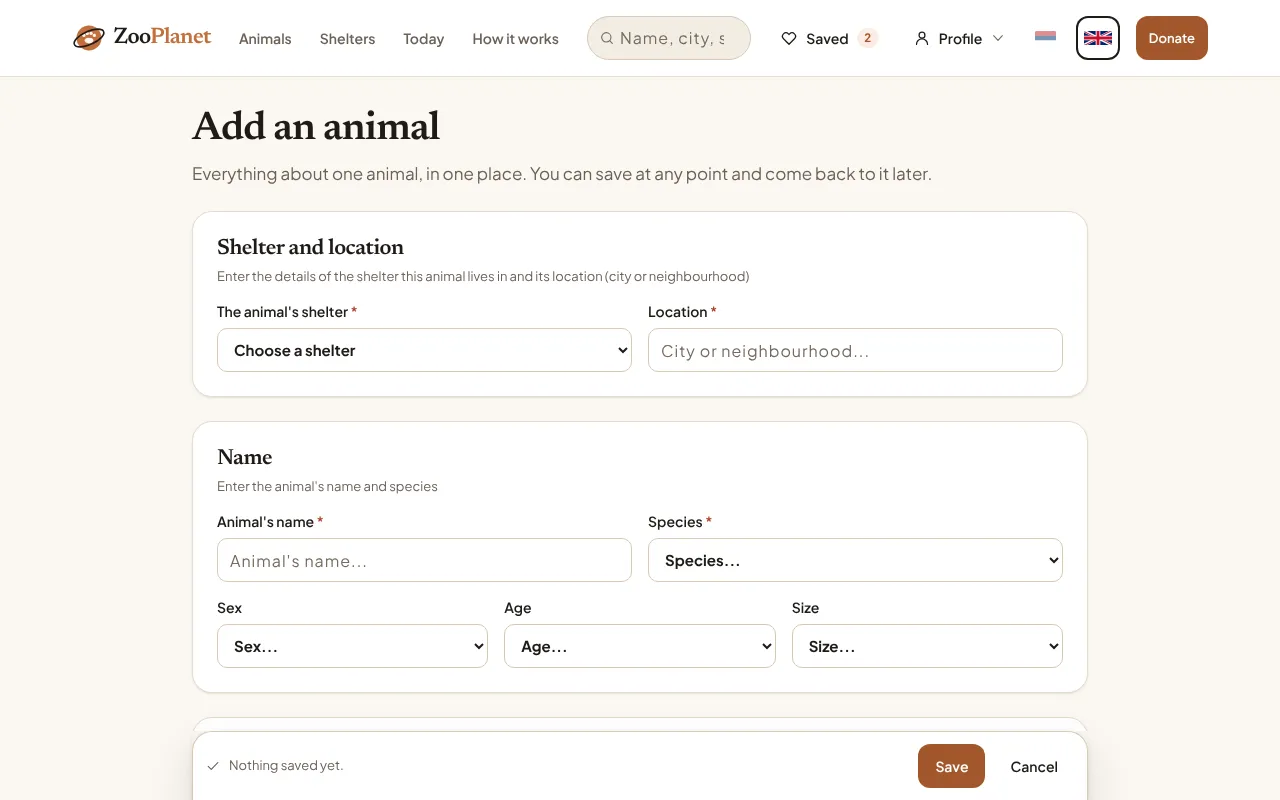
- Shelter and town. The shelter is chosen from a list; the town is typed.
- Name and species are required; sex, age and size are not.
What is public
An animal's profile is a public page. Search engines see it, and so does anybody who is given the link, before you have sent it to anyone.
Everything you put into the form is public. The only place the shelter's team alone can see is the team notes, in the app.
- Name, species, shelter, town, sex, age and size.
- The profile photograph and the whole gallery.
- The description of the species, the story, and the note.
- The cost table and the amount worked out from it.
- Photographs you post as the moment of the day.
- Gallery videos and daily-moment videos, except those marked "Team only".
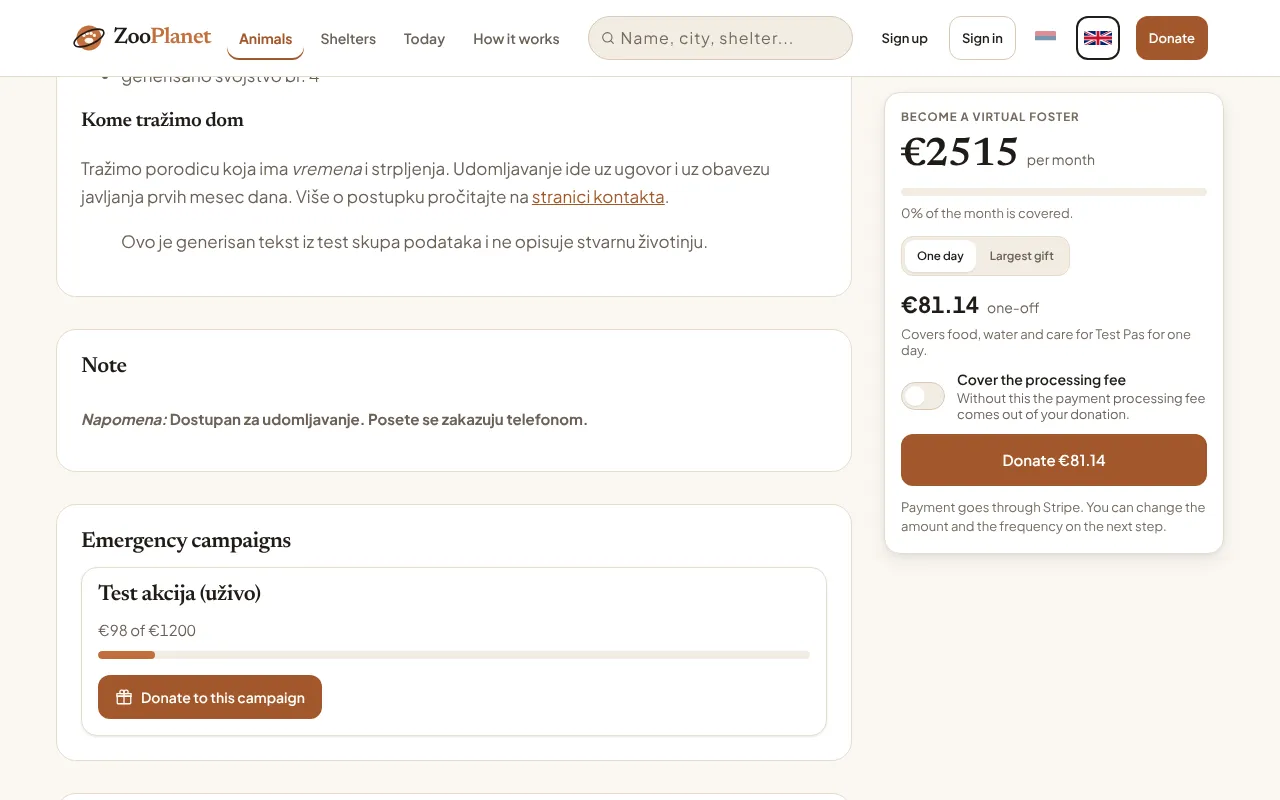
- The note from the form, published.
Description, story, note and team notes
Four fields have similar names and are easily confused. Three are public, and the fourth is not the one whose name suggests it.
The first three are written in the form and can be changed as often as you like. Team notes are only ever added: they cannot be edited or deleted, the rest of the team sees them together with the address of whoever wrote them, and they hold at most 2000 characters.
- “About the species” — general, the same for every animal of that species. Public.
- “About the animal” — the story of this particular animal. Public.
- “Note” — a short addition at the bottom of the form. Public, although the name does not sound like it.
- Team notes — short notes in the app. For the shelter's team only.
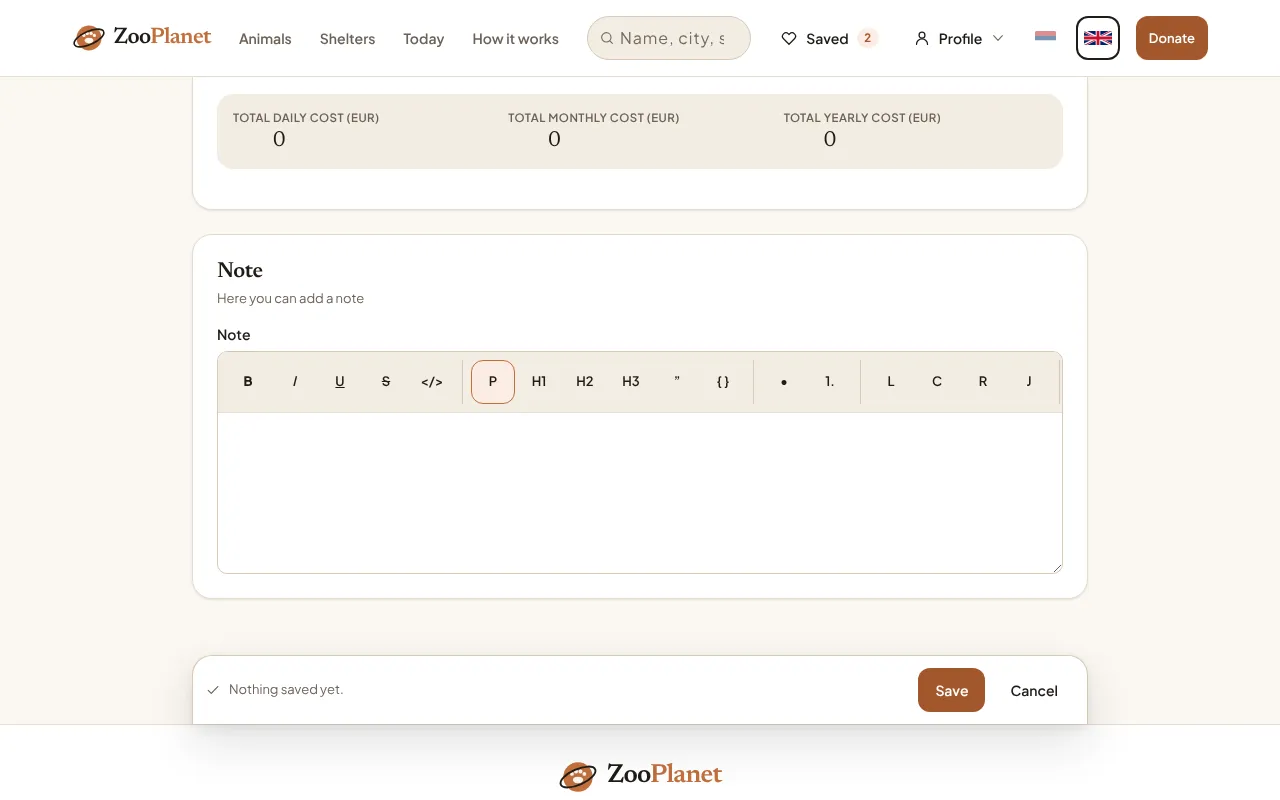
- The note. It is published on the animal's public page.
The note is not internal. It is published on the animal's public page, under the heading “Note”. Anything the public should not see belongs in the team notes.
The cost table
The table is a list of items with a quantity and a price: food, water, care, medicine. A daily amount is worked out from it, and from the daily one the monthly and yearly figures that stand on the profile and are offered to anybody who wants to donate.
The sum is worked out in the form as you type and is stored as it stood at the last save. Nothing recalculates it afterwards, so when prices change the table has to be opened and saved again — otherwise the profile shows the old amount.
On the website the table starts with one empty row, and that row is saved along with the rest. If your shelter does not track costs, delete it: otherwise the public page shows a table of zeros instead of the message that no costs have been entered.
The photo of the day and the team notes
Two things made in the app are easily confused. The “moment of the day” is a photograph with a caption and it is public; the team notes are text, carry a padlock, and only the shelter's team sees them.
Both are made in the app only — there is no form for either on the website. A caption is not required and holds at most 500 characters.
- “Also add to the gallery” leaves the photograph on the animal's profile as well, not only in that day. The gallery holds at most 20 photographs.
- “Share on social media too” only records the intention for now. Nothing is published automatically.
- A post cannot be edited afterwards, but it can be deleted: by whoever posted it, or by anyone who may edit the animal. Deleting the whole animal takes its posts with it.
The animal of the day
The animal of the day is chosen by a site administrator, not by the shelter and not by a volunteer. One is chosen for the whole site per day, and it has to have the “available” status. A new choice for the same day replaces the old one, so a mistake is corrected in a single step.
If nobody chooses, the website's front page still shows one animal, picked in turn. In the app that slot is filled with the most recent photo of the day instead, or skipped.
Adoption
An adoption is recorded as the “adopted” status on the form, like any other edit. The profile stays and is still visible as that animal's story, but it leaves the list of animals looking for a home.
The moment the status becomes “adopted”, the site announces it by itself among the animal's daily posts and in the daily round-up, with the profile photograph and no text. If the shelter has a connected social media account it goes there too; if not, it stays on the site.
You can set the status back, but the post stays and a second one is never made. An animal with no profile photograph is marked adopted with no message and no post at all — there is nothing to publish, and nothing will warn you. The app now asks about exactly this: its Status screen warns before saving if you choose Adopted, for this exact reason.
Following and reactions
Visitors can follow an animal and leave it a reaction. Both need an account; without one everything is read-only.
As a volunteer you see only the total number of reactions, the same total everybody sees. Who followed and who reacted is visible only in the shelter's administration, and there as a count rather than by name.
- At most three animals can be followed at once. Followed animals sit at the top of the daily round-up in the app.
- A reaction is one per person per animal — a heart, a paw or a house. It can be changed, but it cannot be taken back.
- The daily email about followed animals is a separate choice, on the Today page of the website. Following on its own sends nothing.
Reporting content
The report control is in the app: on the account screen, and under the photograph on an animal's public profile. It is not on the website — there you will find only the child-safety page and an address.
A report does not go through the send queue and does not need an account: it is sent at once, or the app tells you there is no connection. It arrives at kontakt@zooplanet.org and a person reads it. Nothing about it is stored in the database, so the message in that mailbox is the only trace.