The app
The app is what a volunteer holds in the shelter: a camera, the shelter's own details and the team notes, built to work when there is no signal.
What the app is
The app and the website are the same database and the same accounts. What you enter on the phone appears on the website, and the other way round — the app is not a separate copy.
What differs is what each is for. The phone is for work in the shelter: photographs and the team's short notes. The website is for longer writing and for two parts of running a shelter the phone does not have, named at the foot of this page.
Installing it
The app does not come from Google Play but straight from our own site, so Android will ask you a few times along the way whether you are sure. That is expected.
- Open the link from the invitation and wait for the download to finish.
- When Chrome asks, confirm that you want to open the downloaded file.
- If Android says installing from unknown sources is not allowed, grant that permission to Chrome on the screen it offers you, then come back.
- If Play Protect appears, or MIUI's own check on a Xiaomi phone, choose to install anyway.
None of those warnings means there is anything wrong with the app. Android shows them for everything that did not come from Play.
Signing in
You sign in with the same account as on the website — your email address and your password. You can also create a new account in the app, from the link under the form.
An account has to be confirmed before its first sign-in. A confirmation link arrives by email after you register, and until you open it signing in will not go through. That link opens in the app too.
After signing in the app always takes you to Today — that is the starting screen for a visitor and a volunteer alike, now that the two tab sets share it. It does not return you to the screen you came from.
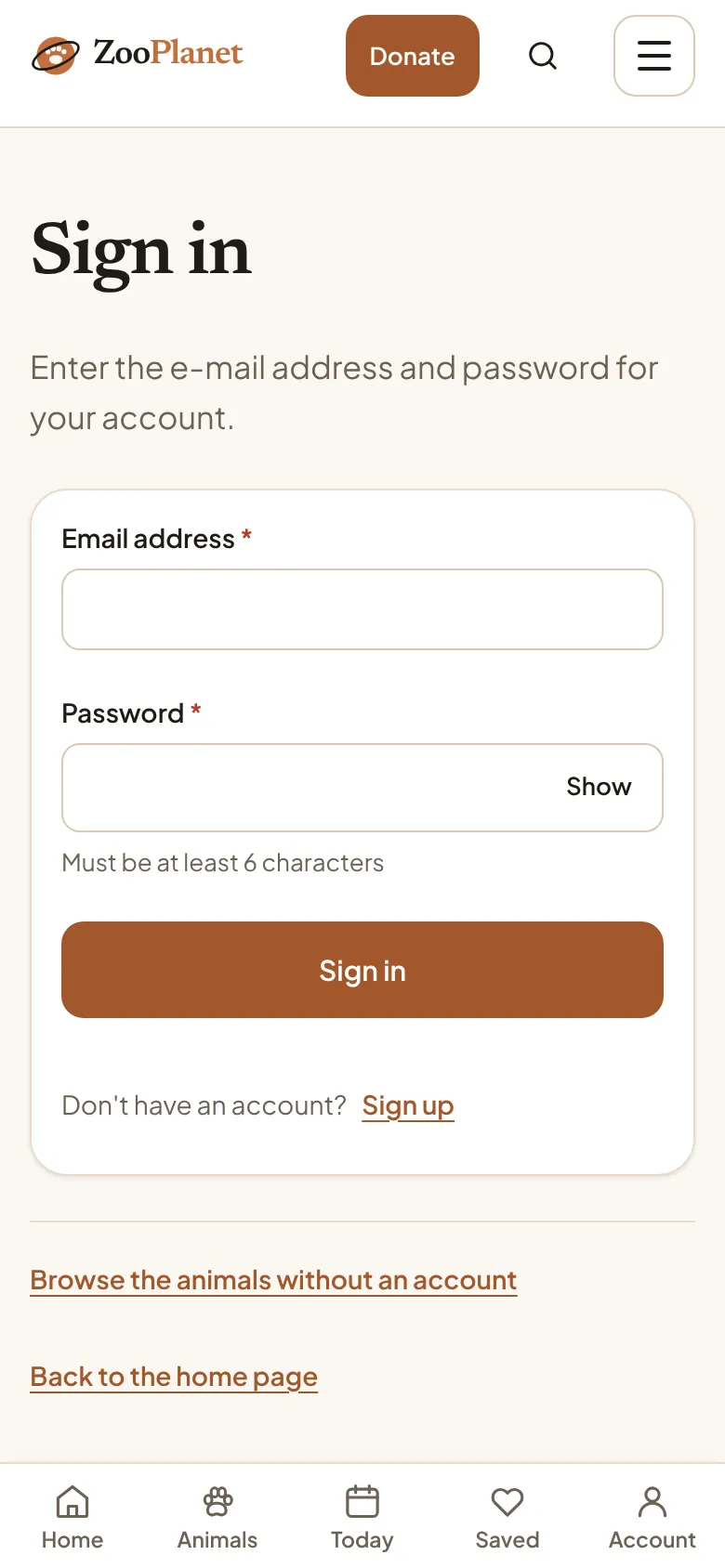
- The account's email address.
- The password, at least six characters.
- The sign-in button.
If you have forgotten your password, do it on the website rather than in the app. On the website type your address and any password: when the password does not match, the website itself offers to send you a link for a new one. That offer does not appear in the app — which is why a note under the sign-in form says the password is changed on the site.
The tabs at the bottom
Four tabs sit at the bottom, and three of them are the same for everyone: Today, Search and Me. Which version of the third tab you get depends on whether you may author animals, not on whether you are signed in — a signed-in visitor still gets the visitor version.
The tab bar disappears the moment you go deeper than a tab's own root screen. Every such screen carries a back arrow at the top instead, and that is the only way back anywhere in the app.
- Anybody who may not author animals gets: Today, Search, Following (the animals you follow) and Me.
- Anybody who may author animals gets: Today, Search, Shelter (the shelter's own details, your animals, the team) and Me.
The animal: data, photographs, team notes
An animal's profile in the app has up to three parts, side by side: Data, Photographs and — for the shelter team only, marked with a padlock — Team notes. Data is a reading screen: four cards (status, the basics, the story, what she needs), each with its own Edit button that opens only that part.
Editing is no longer one long form. Three small screens open over the whole picture, with Cancel and Save at the top: the Basics, Status and What she needs. Adding a NEW animal still stays one form, because a new animal has no profile yet for these three cards to hang off.
- The Data tab also carries three buttons: Photograph today (opens the camera for that animal), See how it looks on the website (opens the public page in a browser) and Share this profile.
- The Status screen also carries the delete button, and a warning before saving if you choose Adopted — that choice announces the news at once, and the announcement is not withdrawn afterwards.
- The old edit screen (one form for everything) still exists as an address, but it now only forwards to Data — two already-published versions of the app still remember that address.
The shelter
The Shelter tab (volunteers only) opens an index, not a form: the shelter's name, your role, how many animals are covered by today's photograph, and two groups of rows below. The first group is the everyday one: Animals, Team and Shelter details.
The second group, Management, is drawn only for a shelter administrator: Donations, Settings and Change log. These are the SAME panes an administrator sees on the website, opened on the phone — not separate copies — so the numbers can never disagree.
- Animals replaces the old Mine tab: search, quick filters (all / mine only / available / not on the site) and, pinned at the top, the animals still waiting for today's photograph.
- Team is the volunteer roster. Everybody can see it, but only a shelter administrator can change it — a volunteer without that role gets a sentence instead of a table.
- Shelter details is edited row by row: each row has its own Edit and saves itself the moment you leave it, with no shared Save at the foot.
- If a shelter has only just been given an administrator, Shelter details still asks for one small form first — a name and a city — before there is a row for Edit to open.
Today
The top of the Today screen is for a volunteer: how many of the shelter's animals already have today's photograph, and a button straight to the next one waiting. Below that is the same daily round-up a visitor sees. There is no day-streak number — that would be the shelter's, not yours, and nothing today can honestly compute it for you.
The sync bar on this screen appears only when something is waiting — with an empty queue the bar is not drawn at all, so the screen you open every day is not also the one that keeps announcing that everything is sent.
- When a photograph is still in the send queue, the confirmation says: "Saved on the phone. We will send it once the connection is back." It does not say it has been published, because it has not.
- When the queue reaches the site before the confirmation screen manages to open, the confirmation says it has been published, by name.
Sending to the site
Everything you enter is written to the phone first and sent afterwards. With no connection the entry waits in the queue. Automatic sending starts when the signal is back, unless you have paused it.
The queue no longer has its own tab — it is called Sending to the site and opens from the Me tab, or from that same bar on Today when something is waiting. How much is waiting now shows as a badge on the Sending row inside Me.
The queue does not give up. When a send fails it tries again, less and less often, until it goes through, and nothing is ever deleted on its own. An item leaves the queue when it has been sent or when you discard it.
- On the Sending to the site screen, discarding asks you to confirm.
- On the failed-sync bar, which appears over every screen, it does not. One tap deletes the item and the photograph from the phone, with no question asked.
Do not photograph the same animal again because the first photograph "did not go". Duplicating it makes two posts instead of one.
The camera
A photograph is made smaller on the phone before it is sent — the long edge down to 2400 pixels. That is not a fault and it does not spoil the picture: full 48-megapixel photographs eat volunteers' mobile data and the site never shows them at that size anyway.
If the phone takes the picture upright it stays upright. The rotation is written into the picture itself before it is sent, so it does not turn up sideways on the site.
Video
On the daily post screen, above the frame, there is a "Photo" / "Video" choice. Choose "Video", then "Record video" (opens the phone's camera) or "Choose video" (a clip already in the library). If the choice is not there, video has not been switched on for the site yet — that is done on the server, with no new version of the app.
After recording or choosing, you see the clip with two sliders, "Start" and "End": only the part between them is sent, three minutes at most. A longer clip is not refused — you just pick which part goes. The "Cover frame" slider chooses the frame shown before playback, and "No sound" sends the video without its audio track. When you press "Save and publish", the phone first prepares a smaller version of the clip ("Preparing the video… %", with "Cancel"); for a three-minute clip that takes one to two minutes.
The prepared video joins the same queue as photographs, under "Sending to the site", where it says "Video sending… %", "Video waiting to be sent" or "Video sent, post follows". An upload carries on where it stopped — after losing signal, and after the app is closed. On Android a notification shows progress while it uploads; on an iPhone the upload continues while the app is not on screen.
- "Team only" is an extra tick that exists only for video: the post is not shown publicly on the site.
- "Share on social media too" tells you at once when a clip will not suit a network ("Not eligible for Instagram: too long" and similar). YouTube accepts a limited number of uploads a day, so such a video waits in a publishing queue.
- The "Sending to the site" screen also has a "Videos only on Wi-Fi" switch. It is off by default; when on, clips wait for Wi-Fi while photographs and text go at once. An upload that has already started is not stopped by it.
- Galleries: on an animal's profile, under "Photos", and in "Shelter details" there is a "Videos" section — "Add video", move up and down, and "Remove". A daily post's clip with "Also add to the gallery" ticked appears there too.
- Campaigns are edited on the website, but videos are added to them from the app: "Shelter" → "Administration" → "Campaign videos" (shelter administrators only).
On a profile in the app a gallery video shows as a still with its length. You can play it on the website, and in the app on a daily post, with the button over the picture.
The Me tab
The Me tab is the same for a visitor and a volunteer, and splits into four groups: account (sign in, sign out, the legal pages, account deletion), my lists (Following and Favourites), app (sending to the site — volunteers only — and language) and help (the guide and reporting content).
Language is changed here only, for both kinds of account, and it works while signed out. There is no appearance control here or anywhere else — the app is deliberately always light, whatever the phone's own setting is.
- My lists: Following (up to three animals) and Favourites (the website's list), both as a list inside this tab rather than as screens of their own.
- App: Sending to the site, with a count of how much is waiting, then the language choice.
- Help: the guide (this page, opens in a browser) and Report content — reachable even while signed out.
- Account: the legal pages, a request to delete the account, and signing out, at the foot.
What is done on the website
The app and the website share accounts and data, but a few things exist only on the website. For those, sign in from a browser with the same account.
Once you are signed in, the website's header replaces the sign-in buttons with an account menu. That is the way to your saved animals, to adding a new animal, and to signing out.
- A new password, if you have forgotten the old one.
- The daily email about the animals you follow. It is switched on from the Today page and nowhere else.
- Running a shelter's Overview, Usage and App panes is still website-only. The other three — Volunteers, Finance and the change log — are also open on the phone, as Team, Donations and Change log on the Shelter tab, but only for a shelter administrator.
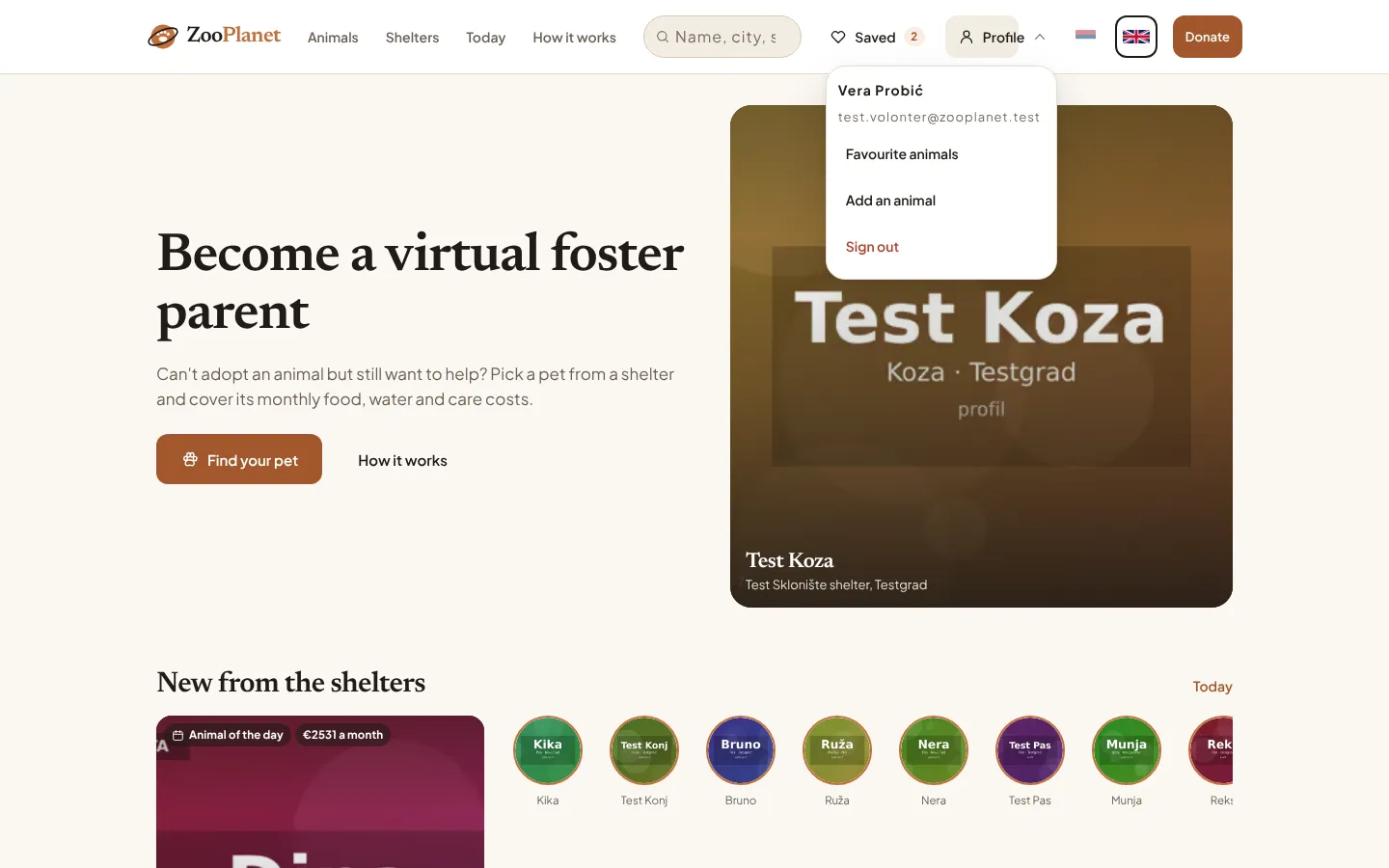
- Saved animals, with a count.
- The button that opens the account menu.
- The account menu: saved animals, adding an animal, and signing out.